Showing posts with label Music. Show all posts

Tuesday, December 24, 2024

A machine learning model to identify music albums from photos


I was looking for a home automation project to select and play specific music album from stream services. There are similar ideas of using NFC tags. Basically, it means preparing some NFC tags with album/movie cover arts on them. And putting a tag on the reader will trigger the playback of that album/movie. While it brings the joy of handling and selecting physical collections, it costs money and time to prepare those NFC tags and I wanted to avoid that.

Since now we have those machine learning models and classifiers, I thought I can just train up a model to look at a webcam photo of a record / CD and tell me the Spotify link to play that album.

BTW, I know Microsoft co-pilot (or maybe OpenAI too) can do it without any special training, but then I don't want to pay extra for that and just wanted to host the model on my own machines.

I imagine it will be something like this:

I put an album in front of a webcam...
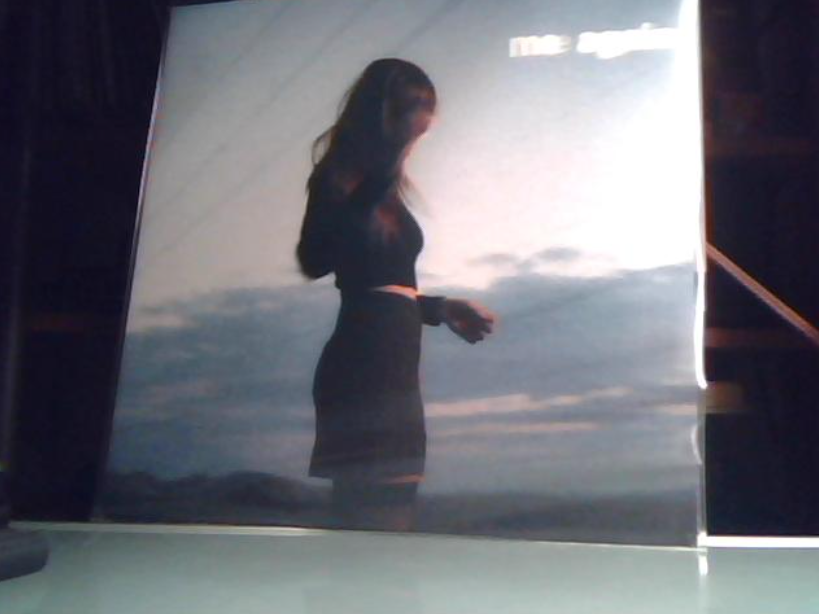

... and the model will tell me the Spotify URL to pass on to the music streamer


Long story short, my model can a identify my music collection with a 98% correctness (more on that later). If you are interested in the technical details and the scripts used to train the model, they are available on github: https://github.com/kitsook/AlbumSpotter

But eventually I didn't integrate this into my home automation, which is kind of related to the correctness. When I got a new CD / vinyl record, I always add that to my collection on Spotify. So I can just get the cover arts from Spotify to train my model. But then I discovered there are at least two problems that will affect the correctness:

  • there are many editions of the same album. e.g. I could have a physical CD of the standard edition but my Spotify collection has the extended edition with a different song list
  • nowadays artists tend to release an album with several "special" cover arts. My physical copy could look totally different from the one on Spotify

That means I will need to cleanup the data for a more accurate result. As procrastination kicks in, I am stopping the project with just the machine learning model and the home automation part will be a future project.


Saturday, June 19, 2021

Squeezelite with docker

Besides those dedicated Raspberry Pis running piCorePlayer, sometimes I wanted to simulate a Squeezebox device on my work PC to play music. The easiest way is to run Squeezelite with docker.

A minor patch to the docker run script so that I can pass in upsampling parameters to it as my USB DAC can handle up to 768kHz.

Then just start the container with something like this, where D50s is my DAC:

docker run --rm --env SQUEEZELITE_AUDIO_DEVICE=hw:CARD=D50s --env SQUEEZELITE_SPECIFY_SERVER=yes --env SQUEEZELITE_SERVER_PORT=192.168.100.6:3483 --env SQUEEZELITE_NAME=openSUSE_PC --env SQUEEZELITE_OPTS='-r 705600,768000 -R vE::4:28:99:100:50' --device /dev/snd --name squeezelite --net host -d giof71/squeezelite

Sunday, May 30, 2021

My current audio setup


This is my current audio setup with free software.

  • The Logitech Media Server (LMS) is the music hub. It serves local music files and streams music from Tidal
  • A couple of Raspberry Pis running piCorePlayer as music players. The piCorePlayer is lightweight enough that it can run on the very first generation of Raspberry Pi with just 256MB of RAM
  • More piCorePlayer devices can be added for multi-room setup
  • The desktop setup has a Topping D50s DAC. Recently replaced the KRK Rokit 5 Gen3 active speakers with passive Triangle BR03 and a class-T amplifier. Thinking to replace the amplifier with a proper integrated amplifier (or maybe even a pre-amp + power amp) so I can add a turntable
  • The bedside headphone setup has an old Mini USB DAC and a DIY headamp


Sunday, November 29, 2020

A phono preamp

Here is my Muffy phono preamp and the matching power supply. They are not the offical PCBs though. The official online store was out of stock. So I downloaded the free (but older) design files and sent them to a PCB prototyping factory for printing. And yes, I picked white for the PCB color.


But the question is: I don't even own a turntable... why do I even bother to go all the way to have the PBCs printed, ordering all the resistors/capacitors/voltage regulators, and finally hunting down a suitable enclosure to house everything?   🙄

Sunday, December 15, 2013

DIY DAC for Beaglebone Black

I ordered the PCM5102 DAC chip long time ago, planning to follow the discussion in a forum to build a DAC for my BBB. Finally got a chance a few weeks ago as I was taking sick leave to stay at home :P. Here is the summary:


Hardware

  • The chip I used is PCM5102. There are discussions in the forum that there might be timing issue on the I2S signal with BBB. But audio seems to be not affected.

  • The schematic shown in the discussion forum was with headphone amplifier. Since I already owned too many DIY headphone amplifiers, I only implemented the PCM5102 part. In fact, it is quite similar to the "Typical Application Circuits" shown in the datashet.

  • Only some minor variations on components, e.g. the power capacitors, as I used whatever I could find in my spare-parts box

  • Two LM3940 used to convert 5V to 3.3v for PCM5102, one to analog and one to the rest of the chip. Granted that LM3940 is not very good at ripple and noise handling, but it should be cleaner than the 3.3v on BBB.

  • Pin 11 of PCM5102 set as high so filter runs in low latency mode

  • The BBB connects to my home wifi network with a dongle (Ralink RT8070 chipset)

Software

  • My Beaglebone Black is running Debian with 3.8.13-bone30 kernel

  • To support UPnP such that I can control the playlist etc from my phones, tablets, and other computers etc, gmediarenderer was compiled and installed

  • With normal UPnP setup, the controller needs to be connected to the renderer all the time so that it can send instructions to play one song after another. This is undesirable as I wanted to use mobile devices to setup a playlist and then disconnect. One solution is to add an OpenHome renderer. This way, the playlist and play controls (e.g. random and loop) can be set and stored centrally.

  • As I paid for the BubbleUPnp on my Android devices, I chose to install the BubbleUPnP Server as the OpenHome renderer on BBB. It is a Java application. As mentioned in my previous post, I have the Oracle JDK 8 Early Access ARM VM on my BBB.

  • The gmediarenderer and BubbleUPnP JVM take around 15% CPU while playing music. My NAS (acting as UPnp server to serve music files) transcodes FLAC to WAV

  • I did test FLAC files on the setup using ffmpeg. The performance is OK too.


Issues

  • Of my 2 BBBs, only one works with the DIY DAC. Dont know if it is a hardware defect or something else

  • Do not set the playback volume to 100% on BBB. Seems that the PCM5102 charge pump is not providing rail-to-rail voltage. Setting the volume to 100% will cause clipping

  • Using ffmpeg to play back audio at 44.1kHz will produce occasional distortion. Can be prevented by upsampling the music in ffmpeg to 48k, 88.2k etc. No such issue with gmediarenderer

Tuesday, March 22, 2011

M-audio Revolution 5.1 under Win7 x64

最後,原來win7係可以用vista driver 的說... 唔洗攪咁多野... orz...

之前由於 m-audio rev 5.1 唔出 windows 7 x64 driver, 所以要係底板出 spdif 用住先...

今日終於頂唔住, 上去 VIA 到 download Envy24GT driver, 諗住冇左 m-audio control panel, 有聲出都好過冇:

installation:


  • open device manager

  • right click on M-Audio Revolution 5.1 and select "Update Driver Software..."

  • Select "Browse my computer for driver software"

  • Select "Let me pick from a list of device drivers on my computer"

  • Click "Have Disk..."

  • Browse to the correct map (in my case it was Envy24_Family_DriverV540aVIAEnvyAudDriversV64WD M)

  • Select the "Envy24 Family Audio Controller WDM" and click "Next"


係ok work... 不過 by default, 個 device 只係可以 support 48kHz sample rate. 明明 hardware support 都唔放埋 44.1, 192 etc 出黎. 攪到播 CD 的話唔係好掂... 於是要改 registry

小弟只係用佢黎聽歌, 所以改左 VA_CPLSelectSR 做0x08 (44.1 kHz). 改完 reboot... 個 device 就有番 44.1 俾我選... 依家用緊 foobar WASAPI 出 spdif, 音場 and 動態明顯全勝 onboard.

Sunday, February 6, 2011

電腦底板出 S/PDIF COAX 同軸

之前一直用開 m-audio Revolution 5.1 係電腦聽歌. 但自從上左 Windows 7 之後就要用 on-board audio, 事關 m-audio 唔出 Win7 64bit driver...

今日終於"的"起心肝, 揾番部封晒塵 hifidiy.net Mini USB DAC 出黎. 心目中駁法係一雞兩食: USB audio 果 part 用黎打機 / youtube 等等, S/PDIF 果 part 就専俾 foobar2k 播歌. 不過問題係我用緊塊底板 S/PDIF 只係有 TOSLINK 光纖 out, 但係部 DAC 只係有 COAX 同軸 in.

其實, 依家好多底板都有 S/PDIF pin-out:


網上有人直接係 SPDIFOUT 同 GND 拉線出 RCA 頭當 COAX out. 但底板好多時都係出 TTL 而唔係 COAX signal. 雖然 signal format 係一樣, 但 TTL 通常係 5 volt 而 COAX 係 under 1 volt. 如果部 DAC 唔識 handle 的話, 可能會燒機的說.

要 DIY 一個 TTL -> COAX converter 唔難, 網上有好多唔同方法. 參考 Asus 自家出的 module:


相信大部份綫路都係用黎出 optical. 留意同軸出口附近只係有三粒貼片原件. 如果冇估錯, 佢就係文中提到的 "Simplest TTL to S/PDIF coax interface":


於是用手上的剩件照做:


cable 係用舊 cd-rom audio out cable. 手上冇 330ohm 電阻, 用兩粒加夠:


試左一日... so far so good...


(Using AD8620 for the LPF part and AD823 for headamp part)

Sunday, October 10, 2010

Sunday, July 11, 2010

MSN "now playing" plugin for foobar2000 (version 0.6)

This is version 0.6 of the plug-in. Fixed the bug that MSN displayed garbage when foorbar was closed during music playing.

This plug-in is for the foobar2000 music player. It sends the song information to MSN Messenger for display.

The component is available here.

Save the file under the components directory of foobar2000 (e.g. C:\Program Files\foobar2000\components) and restart the program. There will be a new item added under the Playback menu. Select the format of info that you want to show on MSN. Also remember to turn on the "Show what I'm listening to" feature on your MSN Messenger.

The C++ source code is also available. You will need to download the foobar2000 SDK in order to build it.


Sunday, September 13, 2009

Thursday, January 29, 2009

未來 & 後來


Sunday, January 11, 2009

梁文音 - 最幸福的事

剛買了梁文音【愛的詩篇】專輯。在網上找了《最幸福的事》 MV 來看…很特別的說…

主題是「思念客運」。途經的站/景點很有意思:

  • 往事 The Past (海拔 2008公尺)

  • 孤獨山城站

  • 人間蒸發站

  • 失落 Lost (3公里)

  • 逝水年華站

  • 青春 Bloomy Youth (182 公里)

  • 沈默村

  • 珍惜公路 Blvd. Treasure

  • 思念點點站

  • 溫柔 Tender (27公里)

  • 遺憾草原

  • 滄海桑田 (1公里)

  • 寂寞招呼站

  • 偷心駅 (320公里)

  • 潰提海岸站

  • 遺憾出口 Sorrow Exit

  • 眼淚下水道 Tears' Drainage (8公里)

  • 幸福 Happiness (208公里)

  • 最幸福的海


每位上車的乘客都有著不同的故事。到了終站「最幸福的海」,大家對着大海說出自己最幸福的事~


最幸福的事 梁文音 (詞)馬嵩惟 (曲)劉宜

    歡迎搭乘思念客運,我們現在即將從回憶出發,
    沿著遺憾,一直走到青春,左轉往事到達紀念日
    接著會經過失落和捨得。(車掌口白)

你撐著雨傘 借我那次 已經足夠我 記得一輩子
我懂後來你不是不堅持 愛情本來就 沒萬無一失

淚水離開了 你的手指
那不如讓它 流在這信紙

我想女孩子 最貼心的是
讓愛的人選結束的方式

我最幸福的事 當過你的天使
趁鼻酸能掩飾 讓我們像當時擁抱最後一次

最幸福的事 吹蠟燭時你總為我許願的手勢
為摯愛的人 在左邊心口保留位置 是最幸福的事

    然後從懂事離開
    上行珍惜公路 直達滄海桑田
    我們要追逐祝福的潮水(車掌口白)

可惜愛不是 童話故事 不能夠永遠 依賴著王子
才慢慢認識只剩兩個字 我怎麼忍心 為難你解釋

我最幸福的事 當過你的天使
趁鼻酸能掩飾 讓我們像當時擁抱最後一次

最幸福的事 吹蠟燭時你總為我許願的手勢
為摯愛的人 在左邊心口保留位置 是最幸福的事

那一陣子有你 美的不像現實
多高興每一幕都微笑著靜止

我最幸福的事 牽著你的日子
一段愛從開始 直至分開我們都對彼此誠實

最幸福的事 對那片海用力大喊永遠的樣子
想得起的事 那天和你傻笑著認識
是最幸福的事

    一起往溫柔前進
    最後抵達目的地
    最幸福的海(車掌口白)


梁文音《最幸福的事》愛的詩篇MV推薦

Saturday, December 27, 2008

小小蟲

曲 : 方大同 詞 : 農夫 編曲:方大同

我從小不會說話 總會說些不該說的話 也沒辦法
我知道我是傻瓜 我不是說情話的專家 別怪我
我搞不懂 要不是這條小小的蟲 嚇得你跳進了我的懷中
可不可這樣跟你相擁 我真的很沒用
要感謝這小小蟲給我機會 這是我初次嘗到戀愛滋味
感覺好奇怪 好像 傷害了誰 或許我太壞 把小蟲摔下來 去換你的愛

小蟲也有牠用途 牠用自己摔下的痛苦 換我幸福
也許相愛是這樣 有人快樂就有人受傷 別緊張
像我這樣 那麼平凡一張大眾臉
從來沒人願意多看我一眼 可是在人來人往之間 卻有小蟲還我心願
要感謝這小小蟲給我機會 這是我初次嘗到戀愛滋味
感覺好奇怪 好像 傷害了誰 或許我太壞 把小蟲摔下來 去換你的愛

謝謝你心意 我會好好待你 保護著你 帶你看天地
下次如果看見女孩子 別再猶豫 你趕快跑到她外衣 讓我表現自己 LA LA LA LA
要感謝這小小蟲給我機會 這是我初次嘗到戀愛滋味
感覺好奇怪 好像 傷害了誰 或許我太壞 把小蟲摔下來 去換你的愛

對不起 對不起 對不起 對不起


Sunday, November 9, 2008

Christmas Canon


"Christmas Canon" is a Christmas song by the Trans-Siberian Orchestra from their 1998 album The Christmas Attic. It has debuted on the iTunes Top 100 download chart at #48 during Christmas time.

The song is set to the tune of Johann Pachelbel's Canon in D Major with new lyrics added. The group's rock version is entitled "Christmas Canon Rock", which debuted on their 2004 album The Lost Christmas Eve.

Source: wikipedia

Thursday, October 23, 2008

Love Is Dead

Brett Anderson - Love Is Dead


Nothing ever goes right
Nothing really flows in my life
No one really cares if no one ever shares my care
People push by with fear in their eyes in my life

Love is dead, love is dead

The telephone rings, but no one ever thinks to speak to me
The traffic speeds by, but no one's ever stopped too late
Intelligent friends don't care in the end, believe me

Love is dead, love is dead

And plastic people with imaginary smiles
Exchanging secrets at the back of their minds
Plastic people
Plastic people

Nothing ever goes right
Nothing really flows in my life
No one really cares if this horror's inside my head

People push by with fear in their eyes in my life

Love is dead, love is dead

And all the lies that you've given us
And all the things things that you said

And all the lies that you've given us...
Blow like wind in my head

Friday, October 3, 2008

Shoot The Moon

Norah Jones - Shoot The Moon


The summer days are gone too soon
You shoot the moon
And miss completely
And now you're left to face the gloom
The empty room that once smelled sweetly
Of all the flowers you plucked if only
You knew the reason
Why you had to each be lonely
Was it just the season?

Now the fall is here again
You can't begin to give in
It's all over

When the snows come rolling through
You're rolling too with some new lover
Will you think of times you've told me
That you knew the reason
Why we had to each be lonely
It was just the season

Monday, September 29, 2008

《畫皮》主題歌

畫心 - 張靚穎


作曲:藤原育郎
作詞:陳少琪

看不穿 是你失落的魂魄
猜不透 是你瞳孔的顏色
一陣風 一場夢 愛如(是)生命般(的)莫測
你的心 到底被甚麼蠱惑

你的輪廓在黑夜之中淹沒
看桃花 開出怎樣的結果
看著你抱著我 目光似(比)月色寂寞
就讓你 在別人懷裡快樂

愛著你 像心跳難觸摸
畫著你 畫不出你的骨骼
記著你的臉色 是我等你的執著

你是我 一首唱不完的歌 (我的心 只願為你而割捨)


『這首名為《畫心》的電影主題曲,由日本音樂人藤原育郎作曲、香港著名詞人陳少琪填詞、華誼音樂旗下藝人張靚穎演唱、莫斯科交響樂團演奏,整首歌曲長度達到七分鐘。這首“超長”主題曲是由電影配樂中的一段主要旋律衍生而來,錶達了電影中主人公的感情世界,旋律幽怨、凄美動人。主題曲不僅是電影情節的延展,而且與這部電影中充滿著神秘東方氣息的畫面也高度統一在一起,達到了音畫合一的效果。漸近式的編曲風格將影片所勾勒出的驚艷凄冷的魔幻風格逐步錶現出來,在配器上使用大量弦樂,配以張靚穎純熟的演唱,讓整首歌聽起來磅礴大氣』

Friday, September 26, 2008

約定


百聽不厭的一首歌~

Tuesday, September 2, 2008

Gravity


Gravity
John Mayer

Gravity
Is working against me
And gravity
Wants to bring me down

Oh I'll never know
What makes this man
With all the love
That his heart can stand
Dream of ways
To throw it all away

Oh Gravity
Is working against me
And gravity
Wants to bring me down

Oh twice as much
Ain’t twice as good
And can't sustain
Like one half could
It's wanting more
gonna send me to my knees

instrumental

Oh twice as much
Ain’t twice as good
And can't sustain
Like one half could
It's wanting more
gonna send me to my knees

Oh gravity
Stay the hell away from me
Oh gravity
Has taken better men than me
Now how can that be?

Just keep me where the light is
C’mon keep me where the light is
C’mon keep me where keep me where the light is

Sunday, July 27, 2008

活在當下

仲記唔記得,幾時因為有得吃糖果而開心?幾時因為考試成績好而高興?幾時因為看了一部好的電影而體會到百看不厭?幾時因為一頓滋味的晚餐而吃得津津有味?

又記唔記得,幾時為摔了一跤而哭?幾時因為老師的責罰而覺得羞愧?幾時因為朋友的離去而覺得失落?幾時因為工作上的失誤而氣餒?

總有不少回憶吧?不過,好肯定的說,已經淡忘的一定比記得的多。

是的。人無時無刻都有不同的感覺。但多年後,記得的還有幾多?時間始終向前。對過去的愐懷,或對將來的願景,都不及現在的感覺。現在的甜、酸、苦、辣,就是要讓當下的你盡情去感受。

但是,傷心時不要太絕望,高興也不必太自滿。

對現在的感覺和體會,就是成長的一部份吧…

葡萄成熟時

作曲:Vincent chow /anfernee cheung
填詞:黃偉文
編曲:Adrian chan

差不多冬至 一早一晚還是有雨
當初的堅持 現已令你很懷疑 很懷疑
你最尾等到 只有這枯枝

苦戀幾多次 悉心栽種全力灌注
所得竟不如 別個後輩收成時
這一次你真的很介意

* 但見旁人談情何引誘 問到何時葡萄先熟透
你要靜候 再靜候 就算失收 始終要守

# 日後 儘量別教今天的淚白流
留低 擊傷你的石頭 從錯誤裡吸收
也許 豐收 月份尚未到你也得接受
或者要到你將愛釀成醇酒 時機先至熟透

應該怎麼愛 可惜書裡從沒記載 終於摸出來
但歲月卻不回來 不回來 錯過了春天 可會再花開

一千種戀愛 一些需要情淚灌溉
枯毀的溫柔 在最後會長回來
錯的愛 乃必經的配菜

repeat * #

想想天的一邊 亦有個某某 在等候
一心只等葡萄熟透 嚐杯酒

別讓 寂寞害你傷得一夜白頭
仍得不需要的自由 和最耀眼傷口
我知 日後 路上或沒有更美的邂逅
但當你智慧都蘊釀成紅酒
仍可一醉自救 誰都心酸過 那個沒有