Friday, April 7, 2023

Load testing APIs with Grafana k6

 Trying out Grafana k6 for performance testing. Heard that it is way better than Apache JMeter.


Setup

Using k6 with docker is easy. Just pull the image and run whatever test script we have prepared, e.g.:

docker run --rm -i grafana/k6 run - <script.js

And it should output the result similar to this when done:

But I wanted to store the the output and visualize the result, like the screenshot at the top of this post. Especially I wanted to see the impact when increasing number of concurrent access. Hence I have decided to run k6 with timescaledb and Grafana.

Luckily, there is also a docker solution for that. The only changes I have done was modifying docker-compose.yml to mount the database data directory with host folder for easy clean up:

Otherwise, just build the special k6 image that supports timescaledb and start the containers:

docker-compose build k6

docker-compose up -d

Note that the actual k6 container to run the script won't be started by docker-compose. Instead it will be executed separately, e.g. with a shell script:

#!/bin/sh
set -e

TAG_BASE="newssum"
TAG_NAME="$TAG_BASE-$(date +%s)"

docker run --rm --net=host -e K6_OUT=timescaledb=postgresql://k6:k6@localhost:5432/k6 -i xk6-output-timescaledb-k6 run --tag testid=$TAG_NAME - < k6/newssum.js

Test script

I have decided to try out load testing my newssum APIs. The script itself is fairly straightforward. A few points to note:

  • the test will be ramping up the number of virtual users (VUs) slowly from 20 to 160 to show the impact on heavy loading


  • since the newssum APIs cache the result, the script will call them once during the setup stage to preload them
  • by default, k6 uses a separate VU to execute the setup (only once, before the actual test start). Hence each VU will need to find out the available "sources" itself in the "default" function when running the actual load test


 Once the execution is done, result can be visualized with Grafana container by pointing the browser to http://localhost:3000. e.g.:


For this specific example, can see that newssum starts to struggle once we have over ~100 concurrent requests as the 95th percentile shoots up.

tl;dr

I can see why developers like k6 over JMeter. It is simple and straightforward to use Javascript to create load tests that require special setup.


Saturday, March 25, 2023

Apple Wireless Keyboard 1st Gen


Dug up my Apple wireless keyboard A1016 that I got with my first (and only) Mac mini PowerPC. Was intended to use it with the MacBook Pro M1 from work, but couldn't get it paired even following others' suggestions.

Instead, got it paired with my desktop PC running OpenSuse following these steps:

- install bluez-firmware and bluetoothctl

- start bluetoothctl and run the following commands to start scanning:

- power on

- agent KeyboardOnly

- default-agent

- pairable on

- scan on

- turn on the keyboard. It should enter pairing mode automatically if it can't connect to any computer

- wait for bluetoothctl to find the keyboard and print the address. Copy that address and use the connect command to initiate the connection

- connect 12:34:45:...

- blindly enter the pairing code 12345678 on the keyboard and hit the return key

- bluetoothctl should prompt for the PIN. Enter 12345678 and enter

- the keyboard should now be paired. Enter the command to check:

- devices Paired

- enter these commands to end pairing:

- scan off

- pairable off


Saturday, March 18, 2023

Romance of the Three Kingdoms II


When you find a box of old floppies, you have to get one of those USB floppy drives, right? Firing up  Romance of the Three Kingdoms II brings back memories.

Now how about those 5.25" floppies...

Tuesday, February 28, 2023

The Thursday Murder Club


https://images-na.ssl-images-amazon.com/images/S/compressed.photo.goodreads.com/books/1582287822i/46000520.jpg

Didn't expect to start another non-fiction so quick. But got notification from public library that it is ready to be checked out on a snowy weekend. BTW, no idea why I couldn't checkout books directly from Kobo through Overdrive. Needed to login to the library site and check it out before synchronizing on Kobo.

Anyway, 3 out of 5. Fun read. But a bit of weird leaps of logic. For similar "casual" mystery / crime thriller, I think the Flavia de Luce Series is better.


Wednesday, February 22, 2023

Exhalation by Ted Chiang


https://images-na.ssl-images-amazon.com/images/S/compressed.photo.goodreads.com/books/1534388394i/41160292.jpg

Exhalation. 9 short sci-fi stories. There are interesting takes on time traveling and parallel universe. Mind-blogging. My favorites are "the Merchant and the Alchemist's Gate", "Exhalation", and "Anxiety Is the Dizziness of Freedom".


Monday, February 20, 2023

RetroPie on Odroid C2 with Armbian


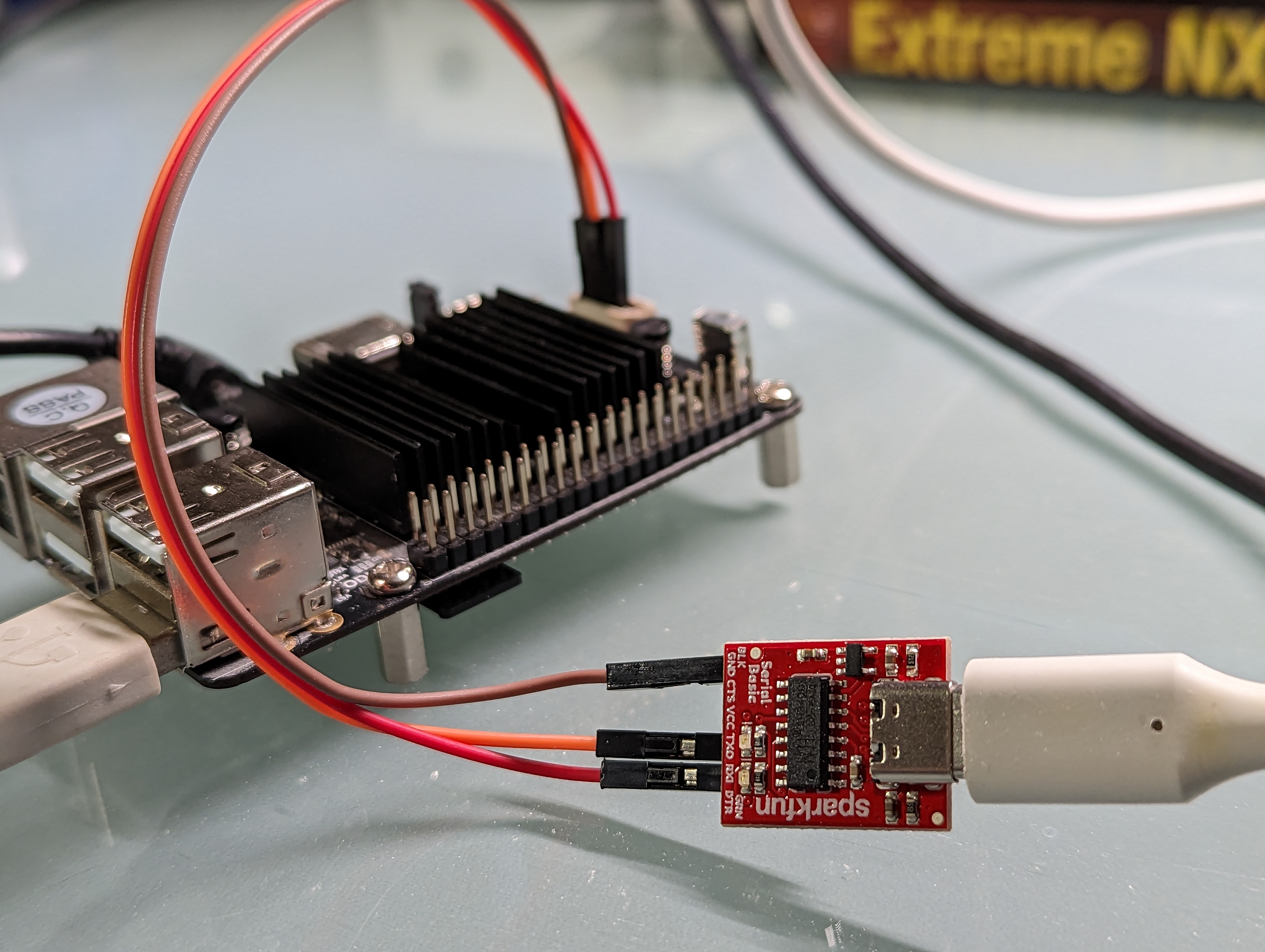
My Odroid C2 used to run some of my PostgreSQL BuildFarm animals. But it has been sitting in my drawer for the past year or so after burning through so many micro SD cards (compiling programs on flash memory takes a heavy toll).

Thinking of repurposing it for RetroPie. The last official Ubuntu was based on 20.04. Wasted couple of hours tried to resolve version issues with mali fb package. Tried to go with Armbian and it was surprisingly straightforward.

Basic installation

  • Download and install Armbian 22.11 for Odroid C2. I used the Jammy CLI version
  •  Boot up let it resize the partition. Follow the instructions to setup account and wifi etc
  • Login as root via ssh (or serial console). Run "apt update && apt upgrade" to bring it up to date. Also install git "apt install git"
  • Create a new account called "pi" (or any other name) that will be used to run RetroPie. Setup sudo and allow login without password

useradd -mb /home -s /bin/bash -G input,video pi
echo 'pi ALL=(ALL) NOPASSWD:ALL' > /etc/sudoers.d/pi
passwd -d pi

  • Login as pi
  • Clone and run the RetroPie setup scrit

git clone --depth=1 https://github.com/RetroPie/RetroPie-Setup.git
cd RetroPie-Setup
sudo ./retropie_setup.sh

  • Select and start the Basic Installation
  • (Go have lunch and come back a few hour later)
  • And that is it. Once it is done, should be able to start RetroPie by running "emulationstation"

X-box 360 controller setup

The X-box 360 controller is plug-and-play in RetroPie. However, it doesn't work in games. Turns out RetroPie configured it with an incorrect name.

  • Run "cat /proc/bus/input/devices" and check the device name of the controller. Mine is called "Microsoft X-Box 360 pad"
  • Edit the file "/opt/retropie/configs/all/retroarch-joypads/Xbox 360 Controller.cfg" (or whatever config file created by RetroPie)
  • Change the value of "input_device" field to be the actual device name found

HDMI audio setup

Also, there is HDMI audio within RetroPie but not within games. To set it up:

  • Starting retropie
  •  Go to Retropie Configurations > Configuration Editor > Advanced Configuration > Configure Libreto options > all/retroarch.cfg
  • Go to “audio_driver” and select “sdl2” as the driver

Auto start

Quick-and-dirty way to auto start RetroPie:

  • As root, create the directory and file "/etc/systemd/system/getty@tty1.service.d/override.conf"
  • Add these to the file to enable auto login for user "pi":

[Service]
ExecStart=
ExecStart=-/sbin/agetty --noissue --autologin pi %I $TERM
Type=idle

  •  Add "emulationstation" to the .bash_profile file of the user "pi" to run Emulation Station once logged in

TBC

  • The HDMI video output is flicking on my ultrawide screen. Could be timing or resolution issues. May need to tune the kernel boot-up parameters
  • The Odroid C2 has pinout for SPDIF. Seems to be directly linked to HDMI audio. If so, will see if possible to get it hook up to a DAC

EDIT 20230223

  • Couldn't find an easy way to edit the HDMI resolution / mode for Armbian. Ended up using a Debian image instead
  • Edit /boot/config.ini and uncomment the line
videoconfig="video=HDMI-A-1:1920x1080@60"
  • To setup the sound, in addition to selecting "sdl2" in retroarch, needed to:
    • Enable and setup output format by running
amixer sset 'AIU HDMI CTRL SRC' I2S 90% unmute
    • Create a file ~/asoundrc to output to the device:

pcm.!default {
  type plug
  slave {
    pcm "hw:0,0"
  }
}

ctl.!default {
    type hw
    card 0
}


Thursday, February 9, 2023

nginx with HTTP/3

Wanted to try out nginx with HTTP/3. But currently the feature is still under development. So needed to craft a docker image to build and run it:

https://github.com/kitsook/nginx-perf

It is based on the steps from this page, except for the part of installing boringssl. The latest version requires golang 1.19, which is not included with Debian distribution. Needed to install it directly during the build.